
🧠 Complete Visibility Into Your Unstructured Data
Most organisations have no idea what unstructured data they actually have. Files and folders pile up across NAS, cloud buckets and archives — and without visibility, every storage decision becomes a guess. As a result, teams overspend, hoard data they no longer need, and scramble reactively when capacity runs out.
CloudSoda Data Intelligence changes this by scanning and indexing your entire storage estate into a single, searchable metadata catalogue. In other words, it gives you a complete picture of what you have, where it lives, what it costs and who owns it — across every vendor and platform.
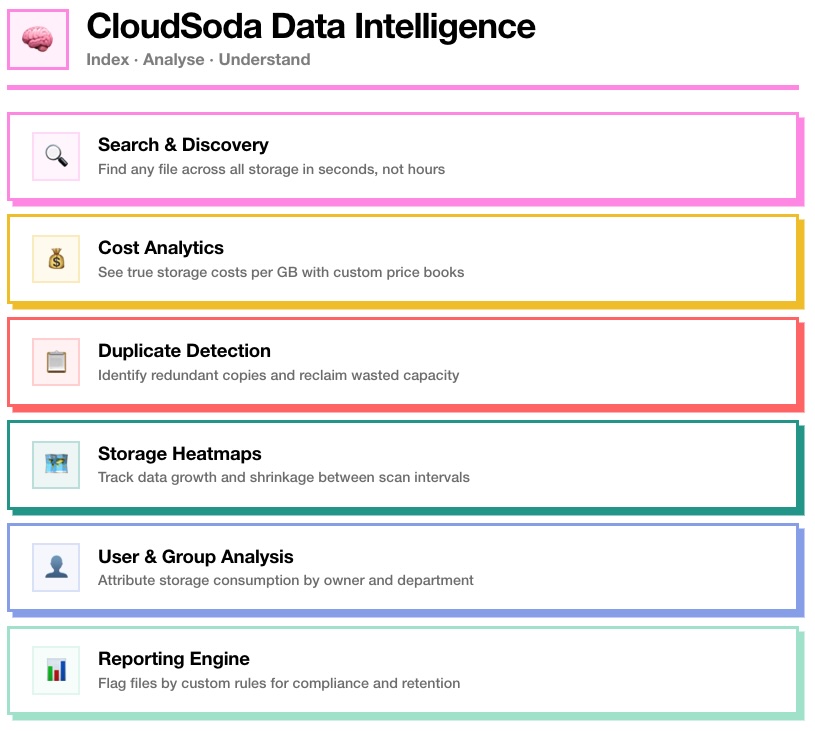
🔍 Search & Discovery
Finding a specific file across petabytes of storage should take seconds, not hours. However, most organisations still rely on recursive directory crawls, vendor-specific search tools or — worst of all — asking colleagues where something is.
CloudSoda indexes every file and folder across all connected storage systems into Elasticsearch. Consequently, you can search by name, extension, path, size, owner, modification date or any combination — and get results instantly. Whether the file sits on a NetApp filer in London or in an S3 bucket in us-east-1, CloudSoda finds it from one search bar.
Additionally, you can save frequently used queries as Smart Searches, so your team can re-run common lookups without rebuilding them every time.
💰 Cost Analytics
Storage vendors sell you capacity. However, they rarely show you the true cost of the data sitting on that capacity. CloudSoda does.
By assigning custom price books to each storage system, CloudSoda calculates the real cost per GB across your entire estate. For example, you can compare the cost of storing a terabyte on Dell PowerScale versus AWS S3 Standard versus S3 Glacier — all in one view. As a result, finance and IT finally speak the same language when discussing storage spend.
Furthermore, CloudSoda breaks down costs by storage tier, project, department and data age. This means you can identify exactly where your budget goes and, more importantly, where you can claw it back. Customers typically uncover 20% or more in savings within the first scan.
📋 Duplicate Detection
Duplicate data is one of the largest hidden costs in enterprise storage. The same file sitting on production NAS, backed up to a second filer, and copied into a cloud bucket — that is three lots of storage cost for one file.
CloudSoda automatically identifies duplicate files across your entire indexed estate. Specifically, it flags copies that exist across different storage systems, different folders and different projects. You then see the total size, count and cost impact of each set of duplicates.
Because of this visibility, teams can make informed decisions about which copy to keep and which to remove — rather than guessing or doing nothing.
🗺 Storage Heatmaps
Understanding how your data changes over time is just as important as knowing what you have right now. CloudSoda’s heatmap tool addresses this by comparing scan indexes from different points in time.
For instance, you can compare this week’s scan with last month’s scan and instantly see which directories grew, which shrank, and by how much. This makes it easy to spot runaway data growth before it becomes a capacity problem.
In practice, storage administrators use heatmaps to identify departments that generate disproportionate amounts of data, track the effectiveness of cleanup initiatives, and forecast future storage requirements based on real growth trends.
👤 User & Group Analysis
When storage costs rise, the first question leadership asks is “who is consuming all this capacity?” Without proper tooling, answering that question involves manual audits, guesswork and finger-pointing.
CloudSoda attributes storage consumption directly to file owners and groups. As a result, you can see exactly how much data each user or department stores, what it costs, and how it breaks down by file type and age.
This capability enables departmental chargebacks and showbacks — so each team sees and owns the cost of its data. Consequently, storage spending becomes a shared responsibility rather than a central IT problem.
📊 Reporting Engine
Compliance, retention and operational housekeeping all require the ability to flag files based on specific rules. CloudSoda’s reporting engine lets you build and run custom reports against your entire indexed estate.
For example, you can create a duplicate report that identifies files copied across multiple storage systems. Alternatively, you can run a search query report using complex AND/OR logic to find files matching very specific criteria — such as all .mov files larger than 10GB that haven’t been accessed in over two years.
Additionally, CloudSoda supports unique reports that identify files existing only in one location without copies elsewhere. This is particularly useful for compliance teams who need to verify that critical data has proper redundancy.
Reports run against the Elasticsearch index, so even across billions of files, results return quickly. You can schedule reports, export results and feed them into downstream workflows.
⚡ How Scanning Works
CloudSoda deploys lightweight agents near your storage systems. Each agent scans connected storage through protocol-specific accessors — SMB for Windows shares, NFS for mounted filesystems, S3 SDK for cloud buckets, or the Dell PowerScale API for direct integration.
During a scan, the agent collects metadata only — file names, paths, sizes, timestamps, permissions and ownership. It never reads or copies file contents. Your data stays on your storage and never leaves your control.
CloudSoda supports three scan modes to match different environments. Volume Multithread scans multiple storage systems simultaneously. Folder Multithread dedicates individual threads to each folder within a single storage — ideal for deep directory structures. Hybrid Multithread combines both approaches for environments with large file counts per folder.
For subsequent scans, CloudSoda supports delta scanning using storage snapshots. Instead of re-scanning every file, it identifies only what changed since the last scan. As a result, scan times drop dramatically after the initial index.
🏗 Storage Support
CloudSoda Data Intelligence connects to any combination of on-premises and cloud storage:
Filesystems: NetApp ONTAP, Dell PowerScale, NFS mounts, SMB/CIFS shares, local paths
Object Storage: AWS S3, Azure Blob, Google Cloud Storage, Wasabi, Backblaze B2, Oracle Cloud, any S3-compatible endpoint
Direct API Integration: Dell PowerScale (snapshot-based delta scanning without NFS/SMB mounts)
All storage types get indexed into the same Elasticsearch catalogue. This means you search, analyse and report across your entire estate from one interface — regardless of vendor or protocol.