🚀 Move Data Between Any Storage, Fast and With Full Cost Visibility
Moving data between storage systems is something every organisation does. However, most do it badly — with manual file copies, overnight rsync jobs, or expensive migration tools that charge per gigabyte and throttle your bandwidth. As a result, migrations take longer than they should, cost more than expected, and leave teams guessing whether the data actually arrived intact.
CloudSoda Data Orchestration takes a different approach. It moves data between any combination of filesystems and object storage — at speeds that saturate your network, with full cost modelling before you commit, and end-to-end validation after every job.
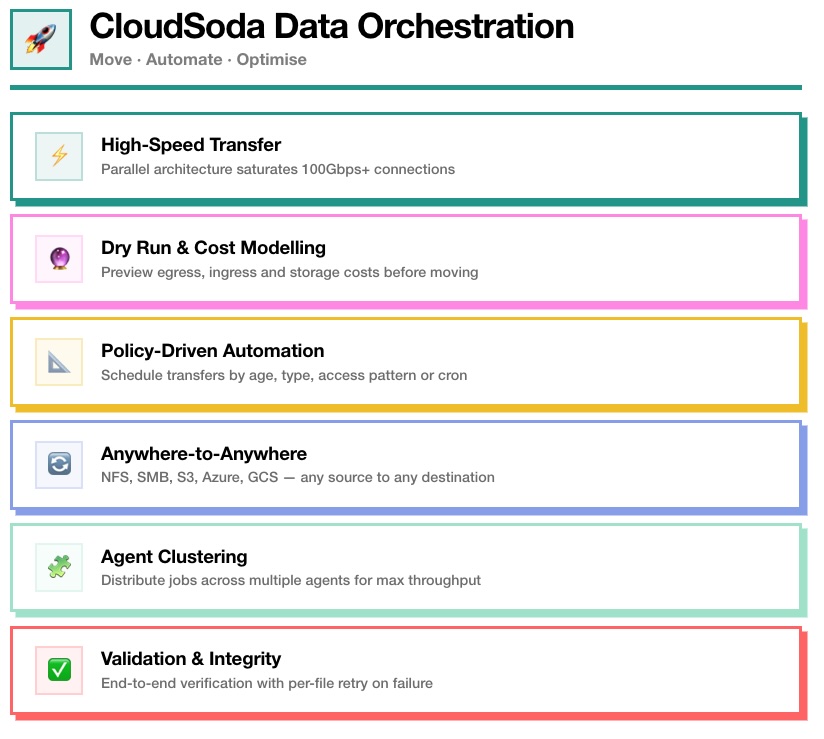
⚡ High-Speed Transfer
Most data transfer tools bottleneck on single-threaded file operations. A 200GB file blocks everything behind it in the queue, and 90% of your network capacity sits idle. CloudSoda eliminates this problem entirely.
The parallel transfer architecture breaks large datasets into thousands of concurrent operations, distributing the workload across multiple streams simultaneously. Instead of processing files one at a time, CloudSoda saturates whatever bandwidth you have available — with no artificial caps or throttling in the licence.
Reference customers routinely achieve 100Gbps transfer speeds between geographic locations. In practice, this means a 50TB media archive that takes six days on legacy tools completes in under 14 hours with CloudSoda. For post-production studios moving raw camera footage between London and Los Angeles, that is the difference between editors waiting until Thursday and having the footage on Monday afternoon.
Furthermore, CloudSoda licences include unlimited bandwidth and no throughput limits. You pay for the platform, not for each gigabyte transferred.
🔮 Dry Run & Cost Modelling
Starting a large data migration without knowing what it will cost is how organisations end up with surprise five-figure egress bills. CloudSoda prevents this by modelling the complete financial picture before you move a single byte.
Specifically, the dry run calculates three things. First, it estimates the egress fees from the source — particularly important when moving data out of AWS, Azure or GCS, where providers charge per gigabyte transferred. Second, it calculates ingress costs at the destination, if applicable. Third, it projects the ongoing monthly storage charges at the target location.
As a result, you see the total cost of the migration and the ongoing cost of keeping data in the new location before committing. You can compare multiple destination options side by side and make data-driven decisions about where your data should live.
Additionally, CloudSoda tracks the actual cost of completed transfers — including file retries and any variance from the estimate — so your reporting reflects real spend, not projections.
📐 Policy-Driven Automation
Manual data movement does not scale. Asking someone to remember to archive finished projects, tier down cold data, or clean up temporary files is a recipe for storage sprawl and missed compliance deadlines.
CloudSoda replaces manual processes with automated policies that move data based on rules you define. For example, you can create a policy that automatically moves files older than 90 days from production NAS to S3 Glacier. Alternatively, you can schedule a nightly sync between two storage locations, or trigger an archive job when a project folder reaches a specific size.
Policies support scheduling via cron expressions, so you can run transfers during off-peak hours when network capacity is available. You can also set conflict resolution rules — overwrite, rename, skip, or overwrite only when the source file is newer — to handle edge cases without manual intervention.
Consequently, storage tiering happens automatically, retention policies enforce themselves, and your team focuses on work that actually requires human judgment.
🔄 Anywhere-to-Anywhere
Most data migration tools only work in one direction or between specific vendor pairs. CloudSoda does not have this limitation. It transfers data between any combination of source and destination, in any direction.
Filesystem to filesystem. NetApp ONTAP to Dell PowerScale. Windows SMB share to Linux NFS mount. Production NAS in London to archive NAS in Frankfurt.
Filesystem to cloud. Dell PowerScale to AWS S3. NFS mount to Azure Blob. SMB share to Google Cloud Storage.
Cloud to cloud. AWS S3 to Azure Blob. Google Cloud Storage to Wasabi. S3 Standard to S3 Glacier within the same account.
Cloud to filesystem. S3 to on-premises NAS for data repatriation. Azure Blob back to Dell PowerScale when cloud costs exceed on-prem.
CloudSoda handles the protocol translation transparently through its accessor layer. The agent near the source reads via the appropriate protocol (SMB, NFS, S3 SDK, Azure SDK), streams data to the destination agent, and the destination agent writes via the target protocol. You configure the job once — CloudSoda handles the rest.
Additionally, you can specify the destination storage class directly during job creation. For example, you can write straight to S3 Glacier or Azure Archive without landing on hot storage first and tiering later.
🧩 Agent Clustering
A single agent can handle most transfer jobs. However, when you need maximum throughput for large migrations, CloudSoda lets you throw more agents at the problem.
Agent clustering distributes a single transfer job across all available agents capable of reaching both the source and destination storage. Instead of one agent doing all the work, four agents share the load — each handling a portion of the file list in parallel.
In practice, deploying four agents instead of one can reduce transfer times by up to 60%. This scales horizontally, so you can add more agents as your throughput requirements grow.
Furthermore, agent clustering provides resilience. If one agent fails during a transfer, the remaining agents continue the job without starting over. Failed file operations get reassigned automatically, so a hardware issue on one machine does not derail the entire migration.
For organisations with complex hybrid or multi-cloud infrastructure, you can place agents geographically near both source and destination storage to minimise latency. An agent in your London data centre handles the source read, while an agent on an EC2 instance in us-east-1 handles the destination write — each operating on the fastest possible local connection.
✅ Validation & Integrity
Fast transfers mean nothing if you cannot trust the result. CloudSoda builds end-to-end validation into every transfer job, so you know the data arrived complete and intact.
After the transfer completes, CloudSoda verifies every file against the source. Specifically, it checks file size, metadata and integrity markers to confirm that the destination matches what was sent. If individual files fail — due to network issues, permission problems or transient errors — CloudSoda logs them individually and retries them without re-transferring the entire job.
As a result, you never face the “start from scratch” problem that plagues simpler tools. A 50TB job where 200 files fail does not need to re-transfer 50TB — it retries those 200 files only.
Additionally, CloudSoda logs every transfer with full detail: the agents involved, files transferred, files skipped, conflicts resolved, actual bytes moved, and the true cost of the operation. This audit trail appears in both the job detail view and the reporting section, giving compliance and finance teams a complete record.
🏗 How a Transfer Works
Every CloudSoda transfer follows a six-step process:
1. Job creation. You select source and destination storage, configure paths, filters and conflict rules in the UI.
2. Dry run. CloudSoda models egress, ingress and storage costs so you see the full financial picture.
3. Source scan. The agent nearest the source storage scans files through the appropriate accessor and builds a manifest.
4. Agent-to-agent transfer. Data streams directly between agents over encrypted HTTPS, with parallel multithreaded operations saturating available bandwidth.
5. Destination write. The destination agent writes data through its accessor, applying the specified storage class.
6. Validation and reporting. Every file gets verified, failures get retried, and actual costs get reported back to the controller.
This entire workflow runs from the CloudSoda UI or via the GraphQL API for programmatic integration.
📡 Supported Storage
CloudSoda Data Orchestration connects to the same storage platforms as Data Intelligence:
Filesystems: NetApp ONTAP, Dell PowerScale, NFS mounts, SMB/CIFS shares, local paths
Object Storage: AWS S3, Azure Blob, Google Cloud Storage, Wasabi, Backblaze B2, Oracle Cloud, any S3-compatible endpoint
Direct Integration: Dell PowerScale via API
Transfers work between any combination of these — in any direction. CloudSoda handles the protocol differences transparently.
🚀 Get Started
CloudSoda Data Orchestration runs on the same agents and controller as Data Intelligence. If you already use Data Intelligence for scanning and analytics, enabling orchestration adds data movement capabilities without deploying additional infrastructure.
Most organisations start with a single transfer job to validate speeds and costs against their current approach. Once they see 50TB complete in 14 hours instead of six days, the conversation shifts quickly from “should we use this?” to “what else should we move?”